Tag: RPA

  • RPA vs AI Automation for Enterprise Workflows

    RPA vs AI Automation for Enterprise Workflows

    RPA vs AI automation comparison for enterprise workflows

    The decision I keep watching teams get wrong: should this workflow be built with RPA or with an AI agent. The RPA vs AI automation debate gets framed as old tech versus new tech, which is the wrong frame entirely. They solve different problems. Picking the wrong one is how you end up with a fragile bot that needs babysitting or an agent that hallucinates its way through invoice approvals.

    I have built both inside a large org. Here is how I actually decide.

    Determinism and predictability

    RPA assumes the screen, the field, and the click path are the same every time. If the SAP transaction code is VA01 today and VA01 tomorrow, RPA wins. It will execute that path 10,000 times with zero variance.

    AI automation assumes variance is the input. The email phrasing changes, the PDF layout changes, the customer asks the same thing five different ways. An agent reasons over that variance. It is non-deterministic by design, which is a feature for unstructured input and a liability for structured execution.

    Rule of thumb I use: if I can write the decision tree on a whiteboard in 15 minutes, it is RPA work. If the decision tree has more than 30 branches and half of them are “it depends on the wording,” it is agent work.

    Cost per execution

    Dimension RPA (Power Automate Desktop) AI Agent (Copilot Studio)
    Per-run cost Near zero after license Roughly 1 message credit per turn, often 5 to 15 turns per task
    License model Per-bot or per-user attended/unattended Message packs, 25,000 messages per pack
    Scaling cost Linear with bot count Linear with conversation volume and tool calls
    Failure cost Bot stops, you fix it Agent confidently completes the wrong task

    RPA at 100,000 runs a month is basically free compute after the license. An agent at 100,000 runs is not. I have seen teams underestimate this by an order of magnitude because they tested with 50 runs and extrapolated linearly without counting tool calls and orchestration turns.

    Maintenance and brittleness

    RPA breaks when the UI changes. A vendor pushes a new SAP Fiori update, three selectors shift, your bot fails at 3am. I have lived this. The fix is usually 30 minutes, but you need someone on call who knows the bot.

    AI agents break differently. They do not fail loudly. They drift. The model provider updates, your prompt that worked last month now produces a slightly different output format, and downstream parsing silently fails. I wrote about this in my agentic workflow post. The failure mode is worse because users find out three days later when the wrong invoice gets paid. If you are building flows that sit underneath an agent, Power Automate error handling patterns that actually work will save you from the silent failures that surface weeks after go-live.

    RPA maintenance is reactive and obvious. Agent maintenance is proactive and requires evaluation infrastructure most teams do not build.

    What the work actually looks like

    This is the dimension nobody compares on. Look at the input.

    Structured input, structured output, no judgment needed: RPA. Copying 200 rows from a legacy system into a SharePoint list, kicking off a daily report, screen-scraping a vendor portal that has no API. Boring, repetitive, deterministic. Power Automate Desktop handles this all day. If you are still deciding whether to invest time in the broader platform, RPA is not the right tool for every repetitive task is worth reading before you commit to a build.

    Unstructured input, structured output, judgment needed: AI. Reading 500 supplier emails and extracting the PO number, classifying tickets by intent, summarizing a 40-page contract into five bullet points. This is where Copilot Studio or a custom agent earns its cost.

    The hybrid case is the most common one and the one most teams miss. The agent reads the email, extracts the structured fields, then hands off to an RPA bot or a cloud flow that executes the deterministic part. The agent is the reasoning layer. RPA is the execution layer. They are not competitors. They are stacked.

    Governance and auditability

    RPA logs are simple. Action ran, action succeeded, here is the screenshot. Auditors love this.

    AI agents need decision logs, not just execution logs. You need to capture why the agent picked tool A over tool B. Most teams I talk to are not logging this and will get caught when the first compliance review hits. I covered this in The Real Shift Is Not Faster Work It Is Who Owns the Decision. Based on what I have built, this is the gap that bites you 6 months in, not on day one.

    Choose RPA if / Choose AI if

    Choose RPA if: the input is structured, the path is deterministic, the volume is high, the cost per run needs to be near zero, and the system has no API. This is most legacy integration work.

    Choose AI automation if: the input is unstructured, the work requires classification or extraction or summarization, variance is the norm, and you have the evaluation discipline to catch silent drift.

    Choose both if: you have a real workflow. Most enterprise automation is hybrid. The line is not RPA versus AI. It is figuring out which layer does what.

    Frequently Asked Questions

    What is the difference between RPA vs AI automation for enterprise workflows?

    RPA is built for repetitive, predictable tasks where the process follows the same steps every time, while AI automation handles unstructured or variable inputs that require reasoning. They are not competing technologies but tools suited to different problems. Choosing the wrong one leads to either a fragile bot or an agent making confident mistakes.

    When should I use RPA instead of an AI agent?

    Use RPA when your process is consistent, rule-based, and can be mapped out as a clear decision tree. If the same fields, screens, or steps repeat thousands of times without variation, RPA will be faster, cheaper, and more reliable than an AI agent.

    How do I know if AI automation is worth the cost for my workflow?

    AI agents consume message credits per turn and most tasks require multiple turns, so costs scale quickly at high volumes. Before committing, calculate expected monthly runs and multiply by average turns per task, not just per conversation. Teams often underestimate this significantly when testing at small scale.

    Why does RPA break so often in enterprise environments?

    RPA relies on fixed UI selectors, so any interface update from a vendor can shift elements and cause the bot to fail. These failures are usually quick to fix but require someone familiar with the bot to be available when issues occur. Unlike AI agents, RPA fails loudly and immediately rather than silently producing wrong results.

  • RPA Is Not the Right Tool for Every Repetitive Task

    RPA Is Not the Right Tool for Every Repetitive Task

    Robot arm reaching for a keyboard representing when RPA is the wrong solution for automation

    The pitch for RPA is always the same: if a human can do it on a screen, a bot can do it instead. That is technically true. It is also one of the most misleading framings in enterprise automation, because it skips the question that actually matters. Just because RPA can do something does not mean RPA should do it. Picking the wrong solution for repetitive task automation is how teams end up six months later maintaining a bot that breaks every time someone resizes a window.

    I have run into this repeatedly. A team identifies a manual, high-volume task, someone says “let’s automate it with RPA,” and the project moves forward before anyone asks whether the underlying system has an API, a database, or a native integration point that would make the whole thing unnecessary. The bot gets built. It works in UAT. It fails in production three weeks later because the source application pushed an update that shifted a button two pixels to the left.

    When RPA Is the Wrong Solution From the Start

    RPA exists to solve a specific problem: you need to automate interactions with a system that offers no other integration path. Legacy applications with no API. Green screen mainframes. Vendor portals that will never expose a connector. When you are genuinely stuck at the UI layer, RPA is the right call and often the only call.

    The problem is that most enterprise environments are not purely legacy. They are a mix. And teams apply RPA uniformly across that mix without checking what integration options actually exist. I have seen bots built to extract data from a SharePoint list by navigating the browser UI, click by click, when a Power Automate flow with the SharePoint connector would have done the same thing in a fraction of the time with none of the fragility. That is not an edge case. That is a recurring pattern.

    If the system you are automating has an API, use it. If it has a native connector in Power Automate, use that. If it can trigger on a database event, trigger on the event. RPA should sit at the end of that decision chain, not the beginning. Reaching for it first because the task looks manual is where the wrong solution gets chosen.

    The Fragility Cost Is Not Theoretical

    UI-based automation is inherently fragile. That fragility has a real maintenance cost that rarely gets priced into the original build decision. Every application update is a potential break. Every UI refresh, every layout change, every new mandatory field added by the vendor is an incident waiting to happen. The bot does not adapt. It fails, usually silently, and keeps “running” in a state that looks like success until someone notices the output queue has been empty for three days.

    I have written before about how Most Agentic Workflows Are Just Fancy If/Then Logic in a Trench Coat, and RPA compounds this problem. A Power Automate flow will at least throw an error you can catch and alert on. An RPA bot that loses its UI anchor can spin through retries, log nothing meaningful, and give every appearance of normal operation while doing nothing at all. The silent failure mode in RPA is worse than most other automation approaches because the bot looks busy.

    The maintenance burden is also not evenly distributed. It tends to land on whoever built the bot, which in most enterprises is a small team. When three bots break in the same week because the same vendor pushed an update, that team is doing triage instead of building anything new. You do not feel that cost during the build. You feel it six months later.

    Process Quality Matters Here Too

    Even when RPA is the correct tool choice, the process underneath still has to be solid. I covered this properly in Automating a Bad Process Just Makes It Fail Faster, but it is worth saying directly in the RPA context: a bot has no instinct. A human doing a repetitive UI task will notice when something looks wrong and stop. The bot will not. It will execute the wrong steps with full confidence until it either crashes or produces consistently incorrect output.

    If the manual process has exceptions, workarounds, and undocumented judgment calls baked in, those do not disappear when you automate it with RPA. They become bot failures with no one to catch them.

    The Decision Should Take Five Minutes

    Before any RPA build starts, the question has to be asked directly: does this system expose any programmatic integration point? API, connector, database access, file-based trigger, anything. Power Automate alone covers hundreds of connectors that eliminate the need for UI automation entirely. If any of those paths exist, take them. They are faster to build, easier to maintain, and more reliable under load.

    RPA earns its place when none of those paths exist. When you are genuinely locked to the UI layer and there is no other way in. That is a real scenario and it happens often enough in large enterprises that RPA is a legitimate part of the toolkit. But it is a last resort, not a default.

    The teams I talk to that are happiest with their RPA implementations are the ones that use it precisely. One system, no API, high volume, stable UI. That is the sweet spot. The ones that are drowning in maintenance are the ones that used it everywhere because it felt like the fastest path to a demo.

    Fast to demo is not the same as right to build. I learned that the hard way. You can connect with me on LinkedIn if you want to talk through where RPA actually fits in your stack.

    Frequently Asked Questions

    When is RPA the wrong solution for automating a repetitive task?

    RPA is the wrong solution when the system you want to automate already has an API, a native connector, or a database trigger available. In those cases, tools like Power Automate or direct integrations are faster to build, more reliable, and far easier to maintain than a UI-based bot.

    Why does RPA break so often in production?

    RPA bots interact with applications at the UI layer, which means any visual change to the application can cause them to fail. A button that moves, a new mandatory field, or a layout refresh pushed by a vendor update can all break a bot that worked perfectly during testing.

    When should I use RPA instead of an API or native connector?

    RPA makes sense when you are working with a system that has no API, no integration connectors, and no way to trigger automation through a database event. Legacy applications and vendor portals with no developer access are the clearest use cases where RPA is genuinely the right call.

    How do I decide whether to use RPA or a different automation tool?

    Start by checking whether the target system exposes an API, supports a native connector, or can trigger on a data event. Only if none of those options exist should RPA be considered. Treating it as a last resort rather than a first choice avoids most of the fragility and maintenance problems teams run into.

  • Automating a Bad Process Just Makes It Fail Faster

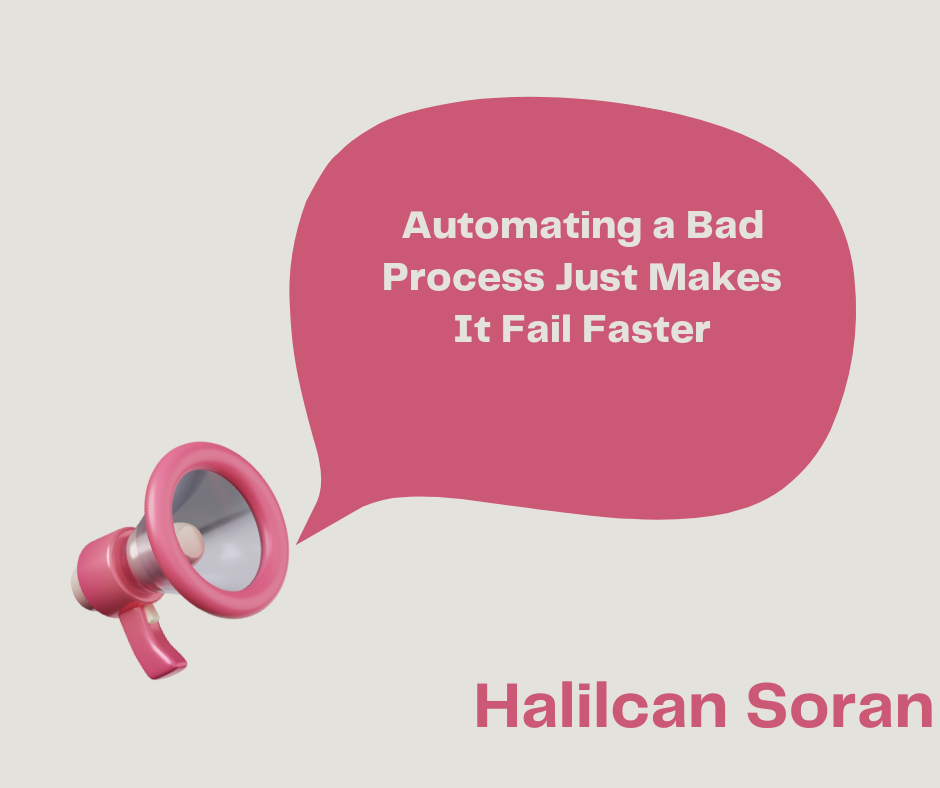
    Automating a Bad Process Just Makes It Fail Faster

    I came across a post from Zapier Blog about process improvement recently, and it made a familiar point: most broken work isn’t actually broken work, it’s a broken process behind it. Messy handoffs, unclear ownership, approvals that live in one person’s head. Good framing. But it treats process improvement before automation as something you do once, upfront, like a checklist item you can tick and move past. In enterprise Power Platform work, that assumption is where things go wrong.

    What Building Automations Teaches You About How Work Actually Flows

    When you sit down to build a flow, you have to make the process machine-readable. That means every branch needs a condition. Every input needs a defined type. Every approval needs an owner. Every exception needs a path.

    Most processes handed over for automation have none of that. What they have instead is a document someone wrote two years ago, a few spreadsheets nobody fully trusts, and a senior colleague who holds the real logic in their head and has been doing it long enough that they don’t notice the decisions they’re making.

    The automation developer ends up being the first person to actually interrogate the process at that level of detail. Not because they went looking for it, but because the flow won’t build until the ambiguity is resolved. You cannot write a condition on a field that sometimes exists and sometimes doesn’t. You cannot route an approval to a role when the role changes depending on factors nobody documented.

    This is not a Power Platform problem. It surfaces in every serious automation project I’ve heard about across different organisations. The tool just makes the gaps visible faster than any process workshop usually does.

    The Specific Process Failures That Surface When You Try to Automate

    There are a few categories I keep running into.

    Unclear ownership. A task gets triggered, but nobody agreed who acts on it. The automation sends an email. Nobody responds. The flow sits waiting. Eventually it times out. Everyone blames the automation.

    Inconsistent inputs. The data coming in doesn’t conform to any standard. Fields are free text when they should be dropdowns. Dates are formatted three different ways. Required fields are blank because the upstream system never enforced them. Your flow handles the clean case fine and breaks silently on everything else. I wrote about this kind of silent failure in the context of Copilot Studio agents failing in production, but the same thing happens in flows where bad input just passes through without raising an error until something downstream breaks.

    Approval logic nobody can fully articulate. You ask who approves a request above a certain threshold. You get three different answers from three different people. All of them are confident. When you automate the majority answer, you will eventually automate the wrong one for someone’s edge case, and that person will be senior enough that it becomes your problem.

    Exception handling that lives in tribal knowledge. The manual process survives because a human notices something feels off and picks up the phone. The automated process has no equivalent. The exception just propagates.

    Why Fixing the Process First Does Not Mean Waiting to Build

    The standard advice is to fix the process before you automate it. That advice is correct and also almost never followed, because the people who own the process don’t feel urgency until they see the automation breaking. The broken automation is what creates the pressure to fix the underlying problem.

    This doesn’t mean you should automate bad processes and hope for the best. It means process improvement and automation are parallel work, not sequential steps. You build, you find the gap, you surface it to the right person, you agree on a rule, you build that rule into the flow. Then you find the next gap.

    The first build is often a diagnostic as much as a delivery. You are not just producing a flow. You are producing a map of where the process is genuinely undefined. That map is more useful than most process workshops, because it was produced by the requirement to actually execute the logic rather than describe it at a whiteboard.

    The risk is treating that diagnostic build as the final product. It isn’t. The flow that handles the happy path and ignores edge cases is not done. It is a prototype that revealed the real work. Those edge cases are also where Power Automate throttling limits tend to surface, once real volume hits paths that were never properly stress-tested.

    How to Pressure-Test Process Logic Before You Commit It to a Flow

    Before building anything complex, I walk through the process as if I were writing the conditions myself, not interviewing someone about it. Specifically:

    • Ask what happens when a required field is missing. If the answer is “that doesn’t happen,” it will happen.
    • Ask who the fallback approver is when the primary approver is unavailable. If there isn’t one, your flow will block silently until someone notices.
    • Ask what the exception path looks like and who owns it. If the answer is vague, you have found the part of the process that was always handled by instinct rather than logic.
    • Take a real sample of historical cases and walk them through your intended logic manually before writing a single action. The cases that don’t fit cleanly are the ones that will break production.

    This is not a formal methodology. It is just refusing to start building until the people handing over the process can articulate it clearly enough that you could explain it to someone else and they would reach the same conclusions. When they can’t, that gap is not a problem with your discovery process. It is the actual problem you are being asked to solve. As Halilcan Soran on LinkedIn and others working in enterprise automation have found, this kind of rigorous process interrogation is often what separates automations that survive their first month in production from the ones that quietly fail or require constant manual workarounds. If you want to understand how Power Platform automation should work at scale, this pressure-testing phase is non-negotiable.